
The Focusrite Scarlett 2i2 4th Gen is the best audio interface for home recording because its listing states a 120dB dynamic range, Auto Gain, and Clip Safe. This guide helps singers, guitarists, and podcasters who need to get sound into a computer cleanly. The one thing that actually separates these picks is how many inputs you can use at once and whether the box includes software to start recording immediately.
If you’re new to this, an audio interface takes your microphone or guitar signal and turns it into digital data your computer understands. Some of these units handle just one voice, while others let you record a whole band. Comparing the specs and features below shows exactly which one fits your desk and your gear.
- Best Overall: Focusrite Scarlett 2i2 4th Gen — 120dB dynamic range with Auto Gain and Clip Safe built in.
- Best Vintage Tone: Universal Audio Volt 1 — Built-in 610 preamp emulation for classic analog character.
- Best Single Input: Focusrite Scarlett Solo 4th Gen — One mic preamp paired with a 120dB dynamic range.
- Best Mobile Connectivity: MAONO P2 Hybrid — Dual USB ports connect a computer and phone simultaneously.
- Most Rugged Build: PreSonus AudioBox 96 — Metal chassis with MIDI I/O and bus power included.
- Simplest to Use: M-Audio M-Track Solo — Direct monitoring switch and RCA outputs make setup instant.
- Best High Resolution: Piyone 2×2 Interface — 24-bit/192kHz converters with illuminated gain rings.
- Best for Vocals: MAONO PS22 Lite — 56 dB of preamp gain handles quiet condenser microphones easily.
- Best Multi-Input: Focusrite Scarlett 4i4 — Four line inputs and four line outputs for larger setups.
- Most Compact: Synido USB-C Interface — Measures 14 x 11.5 x 4.5 cm and weighs only 300g.
- 4th Gen mic pres for mic and guitar
- 120dB dynamic range with flagship converters
- Auto Gain sets levels, Clip Safe prevents clipping
- Air mode adds presence and harmonic drive

- Vintage mode emulates classic 610 preamps
- Up to 24-bit / 192 kHz conversion quality
- Includes LUNA Digital Audio Workstation software
- Includes UAD plug-ins and instruments

- Scarlett Solo 4th Gen for mic and guitar
- 120dB dynamic range with flagship converters
- Improved Air mode adds presence and harmonic drive
- Includes recording software and plugins

- Dual USB ports with MFi-certified connectivity
- 56dB dual XLR inputs at 24-bit/192kHz quality
- Independent mute and monitor controls included
- ProStudio 2 software routes audio to channels
- 2-channel USB 2.0 interface for portable recording
- 2 Class-A mic preamps included
- 2 instrument inputs plus MIDI I/O
- Converters support up to 24-bit/96 kHz recording
- USB sound card delivers 48kHz audio resolution
- One combo XLR/Line input with phantom power
- 1/8" headphone output and stereo RCA outputs
- Crystal Preamp supports condenser microphones

- Class-compliant USB C interface, no drivers needed
- 24-bit/192kHz resolution with high-performance converters
- LED light rings on each gain knob
- Two combo jacks with integrated 48V phantom power
- 24-bit/192kHz recording with 106dB dynamic range
- 56 dB preamp gain and 48V phantom power
- Dedicated instrument input with adjustable impedance
- ProStudio Routing Software includes virtual channels

- Scarlett 4i4 4th Gen studio hub interface
- Two mic preamps, two Hi-Z inputs, 4 line inputs
- 120dB dynamic range with flagship converters
- Air mode adds presence and harmonic drive

- Synido 2×2 interface supports 24-bit depth, 48kHz
- Three monitoring modes including Stereo and Mix
- XLR interface supports 6.35mm and XLR microphones
- 48V phantom power switch with noise reduction
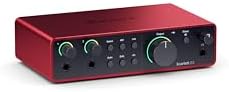
1. Focusrite Scarlett 2i2 4th Gen USB-C Audio Interface
Best for: Singers and guitarists needing automatic level control.
This unit targets anyone who wants studio-quality sound without adjusting knobs. The listing highlights a massive 120dB dynamic range, matching the converters found in Focusrite’s flagship interfaces.
Auto Gain sets the perfect level for your mic or guitar automatically, while Clip Safe prevents clipping entirely. Air mode adds musical presence and rich harmonic drive, lifting vocals and guitars to the front of your mix.
The software bundle is huge. You get Pro Tools Intro+, Ableton Live Lite, Cubase LE, and the Hitmaker Expansion. Compared to the Focusrite Scarlett Solo 4th Gen, this model gives you two mic preamps instead of one, letting you record a singer and a guitar at the same time.
Pros
- 120dB dynamic range using flagship converters
- Auto Gain and Clip Safe protect your recordings
- Air mode adds harmonic drive to vocals and guitars
- Includes Pro Tools Intro+, Ableton Live Lite, Cubase LE, and Hitmaker Expansion
Cons
- Two inputs are the ceiling here, so recording a full drum kit requires a different interface
2. Universal Audio Volt 1 USB Audio Interface
Best for: Creators chasing classic analog studio warmth.
If you want vintage studio sound, the Volt 1 has a specific tool for that. Its Vintage mode recreates the rich, full sound of UA’s classic 610 preamps. You get album-ready tone without adding outboard gear.
It captures audio at up to 24-bit / 192 kHz quality using crystal clear converters. You’ll also get access to the LUNA Digital Audio Workstation, which mimics the workflow of a real analog studio.
Mobile creators will appreciate the broad compatibility. It supports MacOS, Windows, iPad, and iPhone running iOS 14 or later. However, using it with older iPads or iPhones requires an external Volt power supply and an Apple Lightning to USB Camera Adapter.
Pros
- Vintage mode emulates UA’s classic 610 preamps
- Supports up to 24-bit / 192 kHz recording quality
- Includes LUNA DAW and UAD plug-ins
- Works with MacOS, Windows, iPad, and iPhone (iOS 14+) per the Universal Audio Volt 1 listing
Cons
- Requires an external power supply and Apple Lightning to USB Camera Adapter for mobile devices except USB-C iPads
3. Focusrite Scarlett Solo 4th Gen USB-C Audio Interface
Best for: Songwriters recording a solo performance.
This is the songwriter’s interface, built for bringing studio sound anywhere.
The improved Air mode lifts vocals and guitars to the front of the mix. You’ll have essential effects, powerful software instruments, and easy-to-use mastering tools ready immediately.
It’s designed for simplicity. You plug in your mic and guitar, but you’re routing them through a single preamp path rather than two independent ones. If you only ever layer tracks one at a time, this streamlined approach keeps your desk uncluttered. The Focusrite Scarlett 4i4 lists four line inputs against the single mic preamp found here, showing exactly where this model draws its limit.
Pros
- 120dB dynamic range with flagship converters
- Improved Air mode adds musical presence
- Includes Pro Tools Intro+, Ableton Live Lite, Cubase LE, and Hitmaker Expansion
- Designed specifically for solo songwriters
Cons
- The design limits you to recording a single microphone source at a time
4. MAONO P2 Hybrid USB Audio Interface Dual XLR
Best for: Streamers connecting computers and phones simultaneously.
The P2 Hybrid solves a problem most interfaces ignore: working across multiple devices at once. Its dual USB ports with MFi-certified connectivity let you hook up your computer and phone or iPad simultaneously.
Audio quality remains serious. It offers 56dB of gain across dual XLR inputs, compatible with most condenser and dynamic microphones. The 24-bit/192kHz resolution and a class-leading -130dB EIN ensure dead-silent recording.
For streamers, the built-in loopback captures your entire broadcast mix in a single workflow. The ergonomic 15° tilt angle and aluminum-alloy housing make it sturdy and desk-friendly. The box includes the interface, a USB-C to USB-A/C cable, and a manual. The PreSonus AudioBox 96 lists MIDI I/O, a connection type absent from the P2 Hybrid’s spec sheet.
Pros
- Dual USB ports connect a computer and phone simultaneously
- 24-bit/192kHz quality with -130dB EIN
- Independent mute controls and built-in loopback
- Aluminum-alloy housing with an ergonomic 15° tilt angle
Cons
- The box lists the interface and cables but no recording software, requiring a separate purchase for your DAW
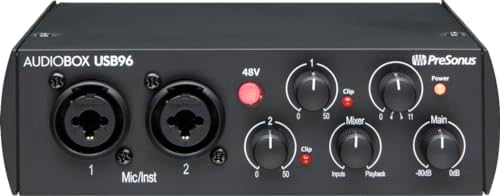
5. PreSonus AudioBox 96 25th Anniversary USB Audio Interface
Best for: Traveling musicians needing durable, bus-powered recording.
This 25th Anniversary edition is a 2-channel USB 2.0 interface built for portable recording. It runs entirely on USB bus-power, meaning you don’t need an additional power supply when you’re working on a laptop.
You get 2 high-quality Class-A mic preamps and 2 high-headroom instrument inputs. Studio-grade converters allow for up to 24-bit/96 kHz recording and playback. A mixer control lets you create a custom blend between inputs and playback for zero latency monitoring.
The software bundle is substantial. It comes with Studio One Artist, Ableton Live Lite, and the Studio Magic Plug-In suite. Outputs include a high-powered headphone jack and balanced ¼” TRS connections for studio monitors. Unlike the MAONO P2 Hybrid, which uses USB-C, this unit relies on USB 2.0 for its connection and power delivery.
Pros
- USB bus-powered with no external supply needed
- 2 Class-A mic preamps and 2 high-headroom instrument inputs
- Includes MIDI I/O for external hardware
- Comes with Studio One Artist and Ableton Live Lite
Cons
- Maximum recording resolution is 24-bit/96 kHz against the 24-bit/192kHz listed on the Piyone 2×2 Interface
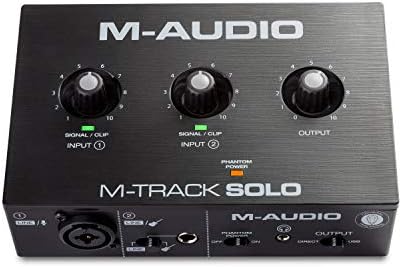
6. M-AUDIO M-Track Solo USB Audio Interface
Best for: Beginners wanting immediate, fuss-free recording setup.
The M-Track Solo is a portable USB sound card for Mac or PC that delivers 48kHz audio resolution. You get a combo XLR / Line Input with phantom power alongside a Line / Instrument input, covering vocals and guitars easily.
Monitoring is straightforward. It features a 1/8″ headphone output and stereo RCA outputs for total monitoring flexibility. A physical USB/Direct switch lets you toggle zero latency monitoring instantly, removing the guesswork from hearing yourself play. The transparent Crystal Preamp guarantees optimal sound from all your microphones, including sensitive condenser mics.
Included software gives you a starting point for production. It comes with MPC Beats Software complete with essential production tools from Akai Professional.
Pros
- Simple USB/Direct switch for zero latency monitoring
- Stereo RCA outputs alongside the 1/8″ headphone jack
- Crystal Preamp supports condenser microphones with phantom power
- Includes MPC Beats Software with Akai Professional tools
Cons
- Recording resolution tops out at 48kHz, which is the stated ceiling for audio capture on this unit
7. Piyone 2×2 Interface
Best for: Producers demanding high-fidelity, high-resolution audio capture.
The core appeal is 24-bit/192kHz fidelity. High-performance converters ensure crystal-clear, low-noise recordings with a wide dynamic range. Two combo jacks accept XLR or Hi-Z instrument inputs, and integrated 48V phantom power provides clean, ample gain for demanding condenser microphones.
Design touches make it pleasant to use daily. Signature fixed LED light rings on each gain knob ensure easy visibility in dimly lit studios. The Direct Monitor feature allows for silent, zero-latency tracking, while the built-in 3.5mm headphone jack works with standard headsets without adapters.
Pros
- 24-bit/192kHz resolution for high-fidelity recording
- Bus-powered via USB C with no drivers required
- Illuminated LED light rings on each gain knob
- Two combo jacks with 48V phantom power
Cons
- Headphone monitoring routes through a 3.5mm jack, so larger headphone plugs require a separate adapter
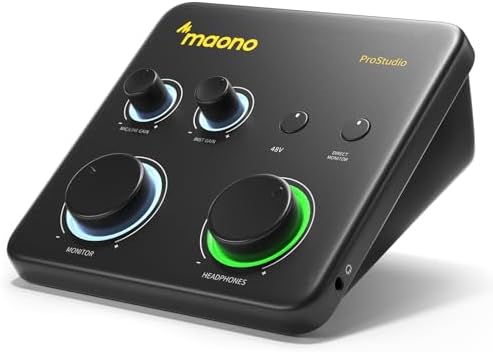
8. MAONO PS22 Lite USB Audio Interface
Best for: Podcasters needing dedicated vocal gain and routing.
The PS22 Lite is designed specifically for the recording enthusiast and streamer. It delivers high-resolution recording at 24-bit/192kHz with a dynamic range of 106dB.
Microphone users get excellent support. It handles condenser and dynamic microphones with up to 56 dB of preamp gain and 48V phantom power. Guitarists can plug into the dedicated instrument input, adjust the impedance, and apply effects quickly.
Software integration sets it apart for streamers. The included ProStudio Routing Software opens up virtual channels and loopbacks, compatible with ASIO drivers for low-latency output. The dynamic light ring indicates sound input status, and the side headphone monitoring interface reduces cable clutter. It lists compatibility with Mac, Windows, and iPads. The Focusrite Scarlett 2i2 4th Gen states a 120dB dynamic range against the 106dB printed here.
Pros
- 24-bit/192kHz resolution with 106dB dynamic range
- Up to 56 dB of preamp gain with 48V phantom power
- ProStudio Routing Software includes loopback and virtual channels
- Dynamic light ring shows input status visually
Cons
- 106dB dynamic range is the stated ceiling, which is narrower than the 120dB on the Focusrite Scarlett models
9. Focusrite Scarlett 4i4 4th Gen USB-C Audio Interface
Best for: Bands and producers routing multiple synthesizers.
This is the music maker’s studio hub, built for those who own more gear than an entry-level interface can handle. It features two Scarlett 4th Gen mic preamps, two Hi-Z instrument inputs, 4 line inputs, and 4 line outputs. You can connect synths, drum machines, and outboard processors all at once.
Audio performance matches what you’d find in a pro studio, thanks to a huge 120dB dynamic range. It uses the same converters as Focusrite’s flagship interfaces. Air mode is present here too, lifting vocals and guitars with musical presence and rich harmonic drive. Auto Gain sets the perfect level automatically, while Clip Safe prevents clipping so you never lose a great take.
MIDI I/O is included, letting you sequence older hardware without a separate USB hub. The software bundle mirrors the rest of the 4th Gen line: Pro Tools Intro+, Ableton Live Lite, Cubase LE, and the Hitmaker Expansion. The Focusrite Scarlett 2i2 4th Gen offers half the line inputs provided here.
Pros
- 4 line inputs and 4 line outputs for complex routing
- 120dB dynamic range with flagship converters
- Auto Gain and Clip Safe prevent ruined takes
- Includes MIDI I/O and the full Hitmaker Expansion software bundle
Cons
- Two Scarlett 4th Gen mic preamps, two Hi-Z instrument inputs, four line inputs, and four line outputs handle complex routing
10. Synido USB-C Interface
Best for: Traveling creators needing extreme portability and simplicity.
Weighing only 300g and measuring 14 x 11.5 x 4.5 cm, this unit slips into any bag effortlessly. It uses a high-quality independent audio chip to reduce recording latency, supporting 24-bit depth and a 48kHz sampling rate.
Three monitoring modes make switching contexts fast. Stereo mode presents independent left and right channels for accurate recording. Mix mode blends input audio and computer audio in real-time, ideal for live broadcasts. USB mode only monitors computer audio, suited for post-editing. Green, orange, and red LED lights display the volume level, helping you avoid distortion without staring at a screen.
It supports 48V phantom power for condenser microphones with excellent noise reduction performance. You can switch easily between Line In and instrument input, adapting to different devices without adjusting gain frequently. The box includes a 3.5mm to 6.35mm adapter and a USB-C to USB-A data cable. A warm tip in the listing recommends downloading a third-party universal ASIO driver for best DAW compatibility. The Piyone 2×2 Interface lists 192kHz sampling against the 48kHz stated here.
Pros
- Weighs only 300g and measures 14 x 11.5 x 4.5 cm
- Three distinct monitoring modes (Stereo, Mix, USB)
- Color-coded LED lights display volume levels
- Includes a 3.5mm to 6.35mm adapter in the box
Cons
- Maximum sampling rate is listed at 48kHz, limiting high-resolution capture
Also Worth Considering
The M-AUDIO Duo USB Audio Interface is a 2-channel USB unit from M-Audio. The M-Audio M-Track Solo beats it for beat-makers because the Solo explicitly includes MPC Beats Software, while the Duo’s title mentions no bundled production tools.
The Tiimge USB Audio Interface is a 2×2 recording interface offering 48V Phantom Power and 24Bit/192kHz studio sound. The Piyone 2×2 Interface surpasses it for studio visibility because the Piyone lists illuminated LED light rings on its gain knobs, a feature missing from the Tiimge title.
The BOMGE USB Audio Interface Recording is a mini 2 Channel unit for streaming and podcasting with XLR/48V Phantom Power. The Synido USB-C Interface beats it on stated portability, listing exact dimensions of 14 x 11.5 x 4.5 cm and a 300g weight, whereas the BOMGE title only claims to be “mini.” Buyers who prioritize a small footprint without caring about exact measurements might still choose the BOMGE.
How We Chose
Products were separated by the number of simultaneous inputs they support and the unique features their descriptions highlight, such as auto-gain technology, vintage preamp emulation, or mobile streaming capabilities. Interfaces targeting completely different workflows, like multi-device streaming versus single-mic songwriting, were kept distinct to show buyers exactly where each model fits.
How to Choose the Right Audio Interface for Home Recording
Inputs and what you plan to record
Decide what you’re plugging in first. A solo singer needs one good preamp, like the Focusrite Scarlett Solo 4th Gen. A podcaster interviewing a guest in the same room requires two XLR inputs, which the Focusrite Scarlett 2i2 4th Gen provides. Synth players should look at the Focusrite Scarlett 4i4, which lists 4 line inputs for hardware keyboards.
Sample rate and audio resolution
Higher numbers capture more detail. The Piyone 2×2 Interface and MAONO PS22 Lite both list 24-bit/192kHz resolution, ideal for pristine studio work. The M-Audio M-Track Solo and Synido USB-C Interface state 48kHz ceilings, which is fine for podcasts and basic streaming but limits high-end music production.
Software included in the box
You need a program to record. Focusrite models include Pro Tools Intro+, Ableton Live Lite, and Cubase LE. The PreSonus AudioBox 96 ships with Studio One Artist. The M-Audio M-Track Solo includes MPC Beats. Check the listing’s bundle so you aren’t forced to buy a DAW separately.
Where you’ll use it
Desk setups benefit from tilted designs like the MAONO P2 Hybrid’s 15° angle. Travel requires bus power; the PreSonus AudioBox 96 draws power directly via USB 2.0. Mobile creators using phones should check the Universal Audio Volt 1, which explicitly lists support for iPad and iPhone alongside computers.
Frequently Asked Questions
Do I need to install drivers for these interfaces?
Most modern units are class-compliant, meaning they work immediately. The Piyone 2×2 Interface listing states no drivers are required for Mac and PC. However, the Synido USB-C Interface recommends downloading a third-party universal ASIO driver for best DAW compatibility. Always check the specific product’s instructions before your first session.
What is phantom power and do I need it?
Phantom power sends electricity through the XLR cable to run condenser microphones. If you use a dynamic mic, you don’t need it. The MAONO PS22 Lite, Piyone 2×2 Interface, and Synido USB-C Interface all explicitly list 48V phantom power switches.
Can I use these interfaces with my smartphone?
Some are built for it, while others are strictly for computers. The MAONO P2 Hybrid features dual USB ports with MFi-certified connectivity to connect a phone and computer simultaneously. The Universal Audio Volt 1 supports iPhone and iPad running iOS 14+. Other models, like the M-Audio M-Track Solo, only list Mac or PC support.
What does loopback actually do?
Loopback routes your computer’s audio back into your streaming software. It lets you play backing tracks or game audio while broadcasting your voice. The MAONO P2 Hybrid and MAONO PS22 Lite both list built-in loopback functions in their software packages. Without it, streaming desktop audio requires complex virtual cable setups.
Is a higher dynamic range always better?

A higher dynamic range captures quieter sounds without noise and louder sounds without distortion. The Focusrite models list a 120dB dynamic range, while the MAONO PS22 Lite states 106dB. For professional music production, 120dB offers more headroom. For spoken-word podcasts, 106dB is generally sufficient to capture clear vocals.
Why do some interfaces have MIDI connections?
MIDI ports let you connect older synthesizers, drum machines, or keyboard controllers directly to the interface instead of your computer. The PreSonus AudioBox 96 and Focusrite Scarlett 4i4 both list MIDI I/O.
Conclusion
Pick the box that fits your setup, plug in your mic or guitar, and start tracking today. You don’t need a fancy studio to capture something real. Once it’s connected, open your recording software, hit record, and trust what you hear coming back through your headphones.
As an Amazon Associate, Cleanestor earns from qualifying purchases at no additional cost to you.