
The best audio interface for podcasting is the Focusrite Scarlett Solo 4th Gen because its listed 120dB dynamic range matches Focusrite’s flagship studio converters. This guide helps new podcasters pick a reliable first interface, and the real difference here isn’t brand loyalty but how each unit handles gain, monitoring, and device connection in your specific recording space.
You’ll find picks below that solve distinct problems: some automate levels so you don’t clip, others add sound pads for live shows, and a few record independently of a computer entirely. Read the specs against your actual workflow to avoid buying features you won’t use or missing ones you desperately need.
- Best Overall: Focusrite Scarlett Solo 4th Gen — Flagship-grade 120dB dynamic range with included recording software and plugins
- Best for Dual Mics: Focusrite Scarlett 2i2 4th Gen — Auto Gain and Clip Safe prevent ruined two-person takes
- Best Vintage Character: Universal Audio Volt 1 — Built-in 610 preamp emulation adds analog warmth digitally
- Best for Streamlined Processing: Shure MVX2U — Onboard DSP with auto-leveling removes computer processing load
- Best Hybrid Connectivity: MAONO P2 Hybrid — Dual USB ports connect computer and phone simultaneously
- Best Pro-Grade Converters: Black Lion Revolution 2×2 — Macro-MMC clocking technology targets audiophile conversion accuracy
- Best Integrated Mixer: MAONO AME2 — Eleven customizable sound pads plus six reverb modes onboard
- Best Portable Field Recorder: Tascam DR-05XP — Records 32-bit float internally without any computer attached
- Best Compact Dual Input: Synido 2×2 — Three-color LED gain indicators show levels at a glance
- Best Gaming-Focused Interface: FIFINE Ampligame SC3 — Physical faders and RGB lighting built for streaming visuals

- Scarlett Solo 4th Gen interface for mic and guitar
- 120dB dynamic range using Focusrite flagship converters
- Improved Air mode adds presence to vocals and guitars
- Includes recording software and plugin collection
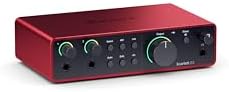
- Scarlett 4th Gen mic pres with included software
- 120dB dynamic range using Focusrite flagship converters
- Auto Gain sets levels and Clip Safe prevents clipping
- Air mode adds presence to vocals and guitars

- Vintage mode emulates UA classic 610 preamps
- Up to 24-bit / 192 kHz quality with clear converters
- Includes LUNA Digital Audio Workstation for recording
- Includes UAD plug-ins and instruments

- XLR-to-USB-C interface for desktop, tablet, smartphone
- Onboard Shure DSP with Auto Level Mode and Denoiser
- Auto Level Mode adjusts gain with Dark, Natural, Bright tones
- Provides up to +60 dB gain and 48V phantom power

- Dual USB ports with MFi-certified connectivity
- 56dB dual XLR interface in 24-bit/192kHz quality
- Independent mute controls and Stream Mode routing
- ProStudio 2 software routes app audio to dedicated channels

- 2-in/2-out USB audio interface with pro-grade converters
- 2 x Mic/Line/Instrument preamps
- Macro-MMC Clocking Technology
- 1 Headphone Output

- AME2 preamps support 48V phantom power up to 60dB gain
- 10-channel mixer with 11 customizable sound pads
- 6.35mm instrument input for guitar or bass recording
- Plug-and-play digital audio workstation controllers

- TASCAM DR-05XP portable handheld recorder
- Supports 32-bit float/24-bit/16-bit and 96kHz/48kHz/44.1kHz
- Omnidirectional condenser microphones handle up to 125dB SPL
- 2-in/2-out USB-C audio interface for computer recording

- Dual XLR / 1/4" combo inputs with 48V phantom power
- 2-in/2-out interface supports up to 24-bit / 48kHz recording
- Stereo, Mix, and USB monitoring modes available
- Three-color LED gain indicators provide visual feedback

- One XLR microphone input with built-in 48V phantom power
- Four independent channels with smooth volume slider fader
- Front mute and monitor buttons prevent background noise
- Four custom sound buttons, 6 voice modes, 12 auto tune
1. Focusrite Scarlett Solo 4th Gen USB-C Audio Interface
Best for: Solo podcasters wanting studio-grade conversion
This interface brings the same 120dB dynamic range converters found in Focusrite’s flagship rack units down to a compact desktop format. That specification means your voice captures more detail between the quietest whisper and the loudest laugh before digital distortion creeps in, which matters when you’re editing out breaths or boosting low murmurs in post-production. The improved Air mode lifts vocal presence by adding harmonic drive, giving spoken word recordings a polished forward quality without needing external preamps or plugins.
You get a complete software bundle including Pro Tools Intro+, Ableton Live Lite, and Cubase LE right in the box, so there’s no extra purchase needed to start recording immediately. The Hitmaker Expansion adds essential effects and mastering tools that handle basic podcast cleanup tasks like compression and EQ. Having these included means your first episodes can sound professional even if you haven’t invested in third-party processing yet, and the learning curve stays manageable since everything integrates directly with the hardware.
Anyone who regularly interviews guests needs the two-input Focusrite Scarlett 2i2 4th Gen instead, as this model has only one microphone preamp.
Pros
- 120dB dynamic range matches flagship studio converters
- Air mode adds musical presence to vocals
- Includes Pro Tools Intro+, Ableton Live Lite, Cubase LE
- Hitmaker Expansion provides effects and mastering tools
- USB-C connectivity for modern computers
Cons
- Single XLR input limits recording to one person at a time
- No onboard DSP means all processing happens in software
2. Focusrite Scarlett 2i2 4th Gen USB-C Audio Interface
Best for: Two-host podcasts needing automatic level safety
Auto Gain sets the perfect level for your mic automatically, and Clip Safe prevents clipping even when someone laughs unexpectedly loud mid-sentence. These features mean you spend less time adjusting meters and more time having natural conversations, which is exactly what interview-based podcasting demands.
Air mode works independently on each channel, letting you tailor presence for different voices without affecting the other host’s tone.
Podcasters who never record with a guest should consider the single-input Scarlett Solo 4th Gen to avoid paying for unused capacity.
Pros
- Auto Gain sets optimal levels automatically
- Clip Safe prevents digital distortion from sudden peaks
- Dual XLR inputs support two microphones simultaneously
- 120dB dynamic range on both channels
- Independent Air mode per channel
Cons
- Auto Gain may react slowly to extremely dynamic performances
- A pair of channels still limits larger panel discussions
- Same software bundle as Solo despite higher capability tier
3. Universal Audio Volt 1 USB Audio Interface
Best for: Podcasters seeking vintage analog warmth
The LUNA Digital Audio Workstation is included and designed specifically around UA’s ecosystem, offering a workflow that mimics traditional analog studio signal chains. UAD plug-ins trusted by industry professionals are part of the package, giving you access to processed sounds that typically require separate purchases. Mobile compatibility extends to iPad and iPhone via iOS 14+, though note that non-USB-C iPads require an Apple Lightning to USB Camera Adapter and an external Volt power supply for full functionality.
Creators who prioritize pristine transparency over colored tone should look at the Black Lion Revolution 2×2, whose Macro-MMC clocking targets accuracy instead of emulation.
Pros
- Vintage mode emulates classic 610 tube preamps
- 24-bit/192kHz conversion preserves detail
- Includes LUNA DAW and UAD plug-ins
- Universal Audio Volt 1 supports MacOS, Windows, iPad, and iPhone (iOS 14+) for laptops, desktop, and mobile recording
- Analog-style workflow reduces plugin dependency
Cons
- Non-USB-C iPads require separate Lightning adapter and external power supply
- Vintage mode colors sound whether you want it or not
- LUNA DAW has smaller third-party plugin ecosystem than competitors
4. Shure MVX2U Gen 2 XLR-to-USB-C Audio Interface
Best for: Podcasters wanting zero-latency onboard processing
Up to +60 dB of clean gain handles demanding dynamic microphones, while 48V phantom power supports condenser mics equally well. MOTIV Mix, MOTIV Audio, and MOTIV Video apps let you manage settings from desktop, smartphone, or tablet, making adjustments possible even when your computer is occupied with other tasks. The XLR-to-USB-C form factor converts any existing microphone into a streamlined podcasting tool without adding rack space or cable clutter to your desk.
Pros
- Zero-latency onboard DSP with denoiser and pop filter
- Auto Level Mode maintains consistent output automatically
- +60 dB clean gain handles demanding microphones
- Tone selection (Dark/Natural/Bright) without software
- MOTIV app control from multiple devices
Cons
- Single XLR input restricts use to solo recording
- Onboard DSP can’t be bypassed for completely dry signal
- Requires MOTIV apps for full parameter access
5. MAONO P2 Hybrid USB Audio Interface Dual XLR
Best for: Creators recording to computer and phone simultaneously
Dual USB ports with MFi-certified connectivity let you record to GarageBand on your Mac while streaming directly from your iPhone at the same time, with no workflow interruptions or adapter swapping. The 56dB dual XLR preamps handle most condenser and dynamic microphones adequately, and the class-leading -130dB EIN specification promises dead-silent recording floors in untreated home studios.
Stream Mode sends your voice equally to both channels for balanced stereo listening, while independent mute controls prevent unwanted noise during instrument changes or breaks. Built-in loopback captures desktop audio, backing tracks, and your voice together seamlessly, which is essential for reaction content or music commentary.
Pros
- Dual USB ports connect computer and phone simultaneously
- MFi-certified for reliable iOS device integration
- -130dB EIN for silent recording floor
- Independent mute and monitor controls
- Ergonomic 15° tilt angle for desk use
Cons
- 56dB gain may struggle with very low-output dynamic mics
- Dual USB setup requires managing two device connections
6. Black Lion Audio Revolution 2×2 USB Audio Interface
Best for: Audiophiles prioritizing conversion accuracy above all
Macro-MMC clocking technology targets jitter reduction at the converter level, addressing timing errors that can blur transient detail in ways standard clocking cannot. This pro-grade approach to digital audio conversion aims for transparency that lets your microphone’s true character pass through uncolored, which matters when you’re capturing subtle vocal inflections or acoustic instruments alongside speech. Two mic/line/instrument preamps provide flexible input options, and the stereo output plus headphone output cover standard monitoring needs without unnecessary routing complexity.
Pros
- Macro-MMC clocking reduces converter jitter
- Pro-grade converters target transparent capture
- Two mic/line/instrument preamps for flexibility
- Stereo and headphone outputs included
- Direct signal path preserves source integrity
Cons
- No bundled software or effects included
- No onboard tone shaping or DSP processing
7. MAONO AME2 Audio Interface Mixer
Best for: Live podcasters needing onboard sound effects
Eleven customizable sound pads let you trigger intros, ads, or reactions during live recordings without reaching for a keyboard or secondary controller.
Built-in phantom power supports condenser microphones, and the 60dB gain with ultra-low noise performance handles high-end dynamics like the Shure SM7B adequately. The package includes TRRS cables for smartphone connectivity alongside USB-C for computers, making it viable for both desktop and mobile live-streaming setups without additional adapters.
Pros
- Eleven customizable sound pads with looping
- Six reverb modes and 12-step auto-tune onboard
- Physical loopback and sidechain switches
- Supports XLR, 6.35mm, and 3.5mm microphones
- Includes TRRS cables for smartphone streaming
Cons
- Effect processing may color recordings undesirably
- USB microphones explicitly not supported
- Complex control surface requires learning curve
8. TASCAM DR-05XP 32-Bit Float Portable Handheld Field Recorder and USB-C
Best for: Field recording without computer dependency
The Tascam DR-05XP records in flexible modes including 32-bit float, suitable for capturing music, voice, and audio for video. Omnidirectional condenser microphones handle sources up to 125dB SPL, covering everything from whispered testimonials to amplified speakers without external mics. Up to 17.5 hours of operation on two AA alkaline batteries enables all-day field work away from power outlets, and the USB-C audio interface function lets you transfer files or record directly to computer when back at your desk.
Pros
- 32-bit float eliminates manual gain setting
- Records independently to SD card without computer
- Up to 17.5 hours on two AA batteries
- Omnidirectional mics handle up to 125dB SPL
- Functions as USB-C interface when connected
Cons
- Built-in mics may not match dedicated XLR quality
- No XLR inputs for external professional microphones
9. Synido 2×2
Best for: Beginners needing visual level feedback
Three-color LED gain indicators provide instant visual feedback showing green, orange, and red states, helping new users set proper levels without understanding metering conventions or decibel scales. This reduces the anxiety of wondering whether you’re too quiet or clipping during early recording attempts, building confidence through clear physical confirmation. Dual XLR/TRS combo inputs with MIC/LINE/INST switching and 48V phantom power support condenser and dynamic microphones for professional recording setups.
Three monitoring modes (Stereo, Mix, USB) adapt to different workflows: hear only your mic while recording, blend computer audio during streaming, or monitor DAW playback while editing. Weighing only 300g makes it genuinely travel-friendly for creators who move between locations frequently. The included USB-C to USB-A cable and 3.5mm-to-1/4″ adapter cover basic connectivity needs, though iOS and Android devices require a separate OTG cable sold separately for mobile operation.
Pros
- Three-color LED gain indicators for visual feedback
- Dual XLR/TRS combo inputs with phantom power
- Three monitoring modes for different workflows
- Only 300g for portable use
- Includes USB-C cable and adapter
Cons
- 24-bit/48kHz max resolution trails higher-spec units
- Windows requires third-party ASIO driver installation
- Mobile use requires separately purchased OTG cable
10. FIFINE Ampligame SC3 Gaming Audio Mixer with Indi-Fader and Volume
Best for: Game streamers wanting physical faders and RGB
Physical volume slider faders give tactile control over microphone, line in, headphone, and line out channels independently, allowing mid-stream adjustments without alt-tabbing away from gameplay. Front-mounted mute and monitor buttons enable quick audio management during intense moments when looking at software isn’t feasible. Controllable vibrant RGB lighting syncs with streaming themes and creates visual interest on camera, turning the interface itself into part of your broadcast aesthetic rather than hidden equipment.
Four pre-recorded custom buttons and six voice-changing modes add entertainment value for gaming audiences who expect personality beyond clean audio. Twelve auto-tune presets and built-in sound effects reduce the need for external processors during live streams. The mixer supports two PC settings simultaneously via USB-C and 3.5mm connections, letting you balance game audio and communication physically rather than through software mixers that consume system resources.
Pros
- Physical faders for four independent channels
- Front-mounted mute and monitor buttons
- Controllable RGB lighting for streaming aesthetics
- Four custom buttons and six voice modes
- Dual PC connectivity via USB-C and 3.5mm
Cons
- Single XLR input limits multi-person recording
- XLR cable not included despite being required
Also Worth Considering
The MOTU Audio Interface XLR-XLR Cable bundles the Motu M2 interface with an XLR cable, saving a separate purchase for buyers who need both.
The Focusrite Gen USB-C Audio Interface is the previous-generation Scarlett Solo, superseded by the 4th Gen model reviewed above.
The Piyone Audio Interface states 24-bit/192kHz resolution and loopback functionality in an alloy red housing. Its specs overlap with the Synido 2×2, but the Synido provides three-color LED gain indicators and three monitoring modes that the Piyone listing doesn’t mention. Creators prioritizing visual feedback during recording should prefer the Synido, while those drawn to the Piyone’s aesthetic may still find it adequate if loopback is their primary concern.
How We Chose
Thirty Amazon listings were compared on stated dynamic range, input configuration, and included software or processing features, and near-duplicates — another colour, another size of one already here — were left out. A listing had to state at least one measurable specification or unique functional capability to earn inclusion; products whose descriptions contained only marketing language without concrete features were excluded. Separation between picks emerged from verifiable differences in gain automation, onboard processing, connectivity options, or recording independence rather than subjective impressions. Interfaces lacking sufficient detail to compare meaningfully against others on these criteria were removed from consideration entirely.
How to Choose the Right Audio Interface
Input Count and Guest Frequency
Decide how many people you’ll record simultaneously before evaluating anything else. Solo podcasters need only a single channel, making the Focusrite Scarlett Solo 4th Gen sufficient, while regular interviews demand dual inputs like the Scarlett 2i2 4th Gen or MAONO P2 Hybrid. Buying more inputs than you use adds complexity without benefit, but having too few forces awkward workarounds when guests appear unexpectedly.
Onboard Processing Versus Software Workflow
Determine whether you want audio shaped before it reaches your computer or prefer completely dry capture. The Shure MVX2U and MAONO AME2 provide DSP and effects onboard, reducing post-production time but committing to tonal choices early. Units like the Black Lion Revolution 2×2 preserve maximum flexibility by passing unprocessed signal, requiring you to handle everything in your DAW instead. Neither approach is superior; they serve different tolerance levels for real-time decision-making.
Device Connectivity Beyond Computers
Identify every device you’ll connect regularly, not just your primary computer. The MAONO P2 Hybrid’s dual USB ports serve computer and phone simultaneously, while the Universal Audio Volt 1 supports iPad and iPhone with noted adapter requirements. The Tascam DR-05XP records independently to SD card when no device is available at all. Overlooking a needed connection type means discovering incompatibility after purchase rather than during planning.
Included Software and Plugin Value
Assess whether bundled software fills gaps in your current toolkit or duplicates what you already own. The Focusrite models include Pro Tools Intro+, Ableton Live Lite, and Cubase LE plus the Hitmaker Expansion, providing substantial starting value. The Universal Audio Volt 1 bundles LUNA and UAD plugins instead. If you’ve standardized on a different DAW already, these bundles matter less than raw hardware specifications, but beginners benefit significantly from having production tools included.
Frequently Asked Questions
What does 32-bit float recording actually prevent?
32-bit float recording provides massive headroom that makes clipping virtually impossible during capture, eliminating the need to set gain precisely before recording. The Tascam DR-05XP is the only unit here stating this capability, making it uniquely suited for unpredictable field environments. In studio settings with controlled levels, 24-bit recording on other interfaces remains perfectly adequate. Post-production can adjust 32-bit float files without quality loss from initial level mistakes.
Can these interfaces work with smartphones and tablets?
Several units support mobile devices, but requirements vary significantly. The MAONO P2 Hybrid states MFi-certified dual USB connectivity for simultaneous phone and computer use. The Universal Audio Volt 1 supports iOS 14+ but notes non-USB-C iPads need an Apple Lightning adapter and external power supply. The Synido 2×2 works with iOS and Android but requires a separately sold OTG cable. Always verify your specific device’s compatibility before assuming plug-and-play operation.
Is onboard DSP worth having for podcasting?

Onboard DSP reduces computer processing load and provides zero-latency monitoring with effects applied, which the Shure MVX2U delivers through its denoiser and auto-level features. This helps when recording on less powerful machines. However, DSP commits you to tonal decisions before capture; units without it preserve maximum editing flexibility.
How important is stated dynamic range for voice recording?
Higher dynamic range captures quieter details without noise and louder peaks without distortion, giving editors more room to work. The Focusrite Scarlett Solo 4th Gen and 2i2 4th Gen both state 120dB dynamic range using flagship converters, the highest specified here. For typical podcast levels in treated spaces, differences at such extreme headroom become less perceptible.
Conclusion
The Focusrite Scarlett Solo 4th Gen remains a choice for most solo podcasters thanks to its flagship-grade 120dB dynamic range and comprehensive software bundle. Beginners overwhelmed by options should start there, then upgrade to dual-input or DSP-equipped models only when their workflow demonstrably requires it. Visit the product pages linked above to confirm current availability and compatibility with your specific recording setup before purchasing.
As an Amazon Associate, Cleanestor earns from qualifying purchases at no additional cost to you.